See what's happening near you.
Go together.
Instead of asking “who do I know?”, Social Map answers “what do I feel like doing today?”. A live map of spontaneous activities nearby — the beach, coffee, football, board games. Join something close to you, or start your own and see who shows up.
Now on the App Store · Coming soon to Google Play
- First name only on the map
- Hosts approve every join
- Chat opens only after approval

Beach volleyball
NowToday · 18:30 · 200 m
From the map to the meetup — in four steps
No forms to fill in, nothing to wait for. As spontaneous as it sounds.
- 01
Open the map
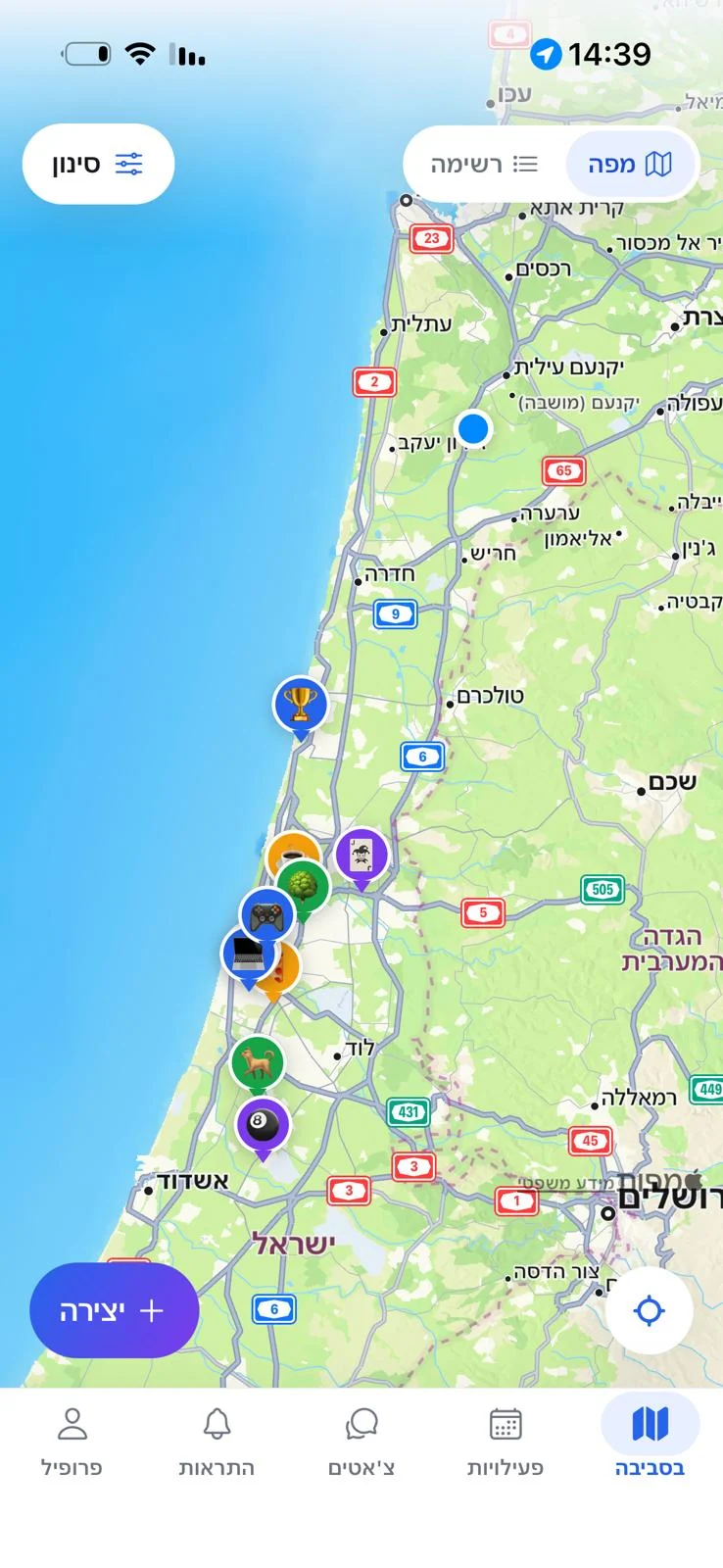
The map opens on your location and shows every open activity around you, sorted by distance and by time.
- 02
Find something close
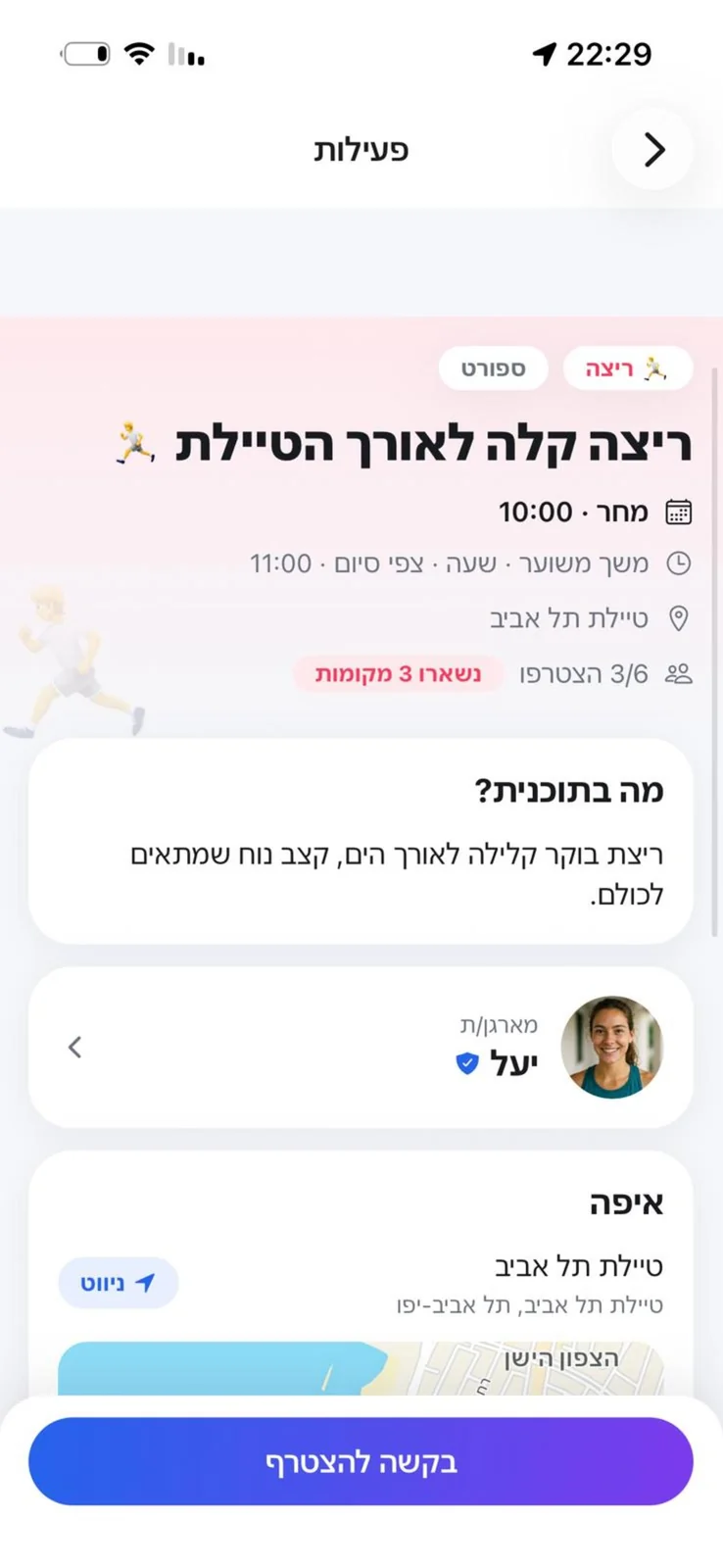
Filter by category, distance and time. Open an activity to see who's hosting it, when, and where.
- 03
Ask to join
Request a place in one tap. The host looks at a real profile and decides personally who comes along.
- 04
Group chat, then meet
The moment you're approved, a group chat opens for the last details — and you head out into the real world.
Everything happening now, on one map
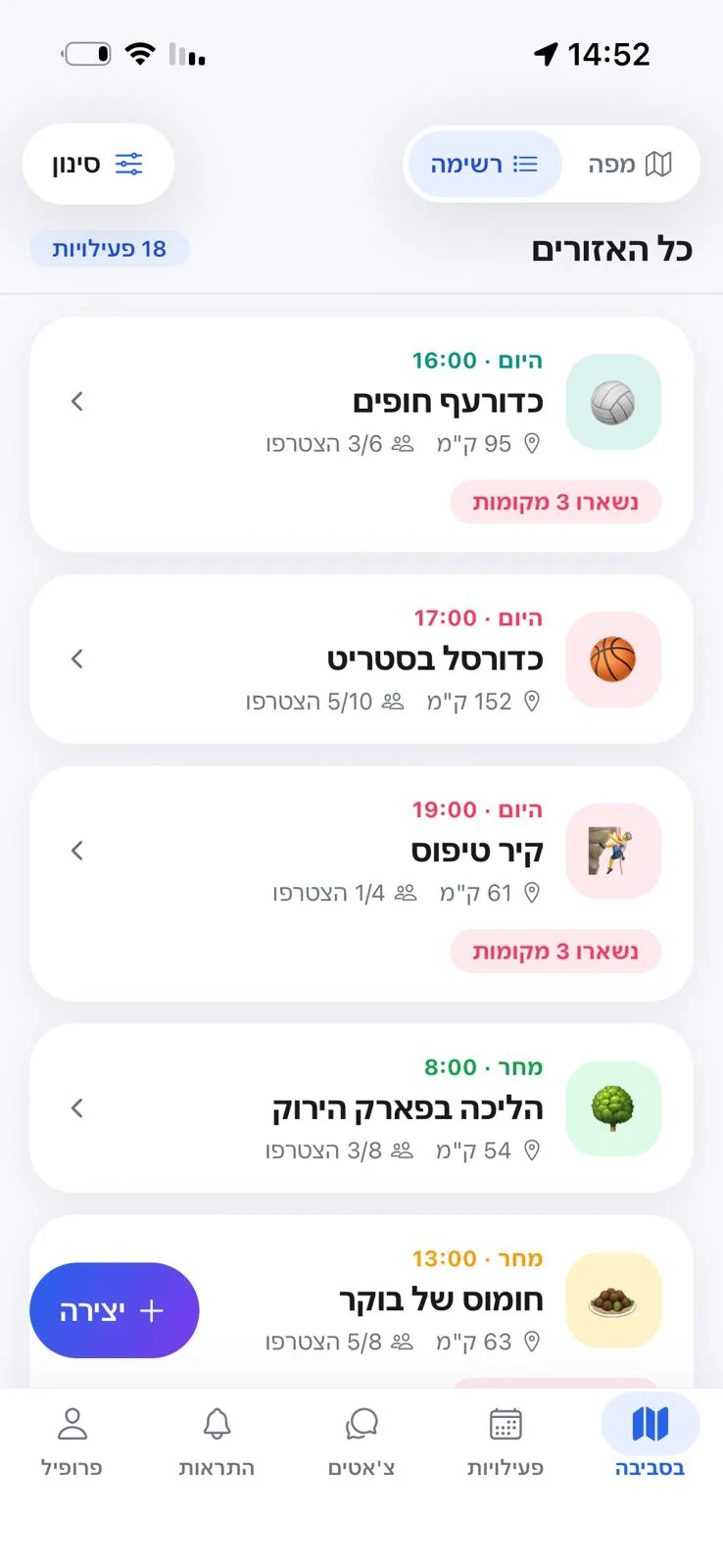
The map opens on your location and shows the open activities around you, each marked by category. Filter by what, how far and when — then sort by nearest, or by starting soonest.
- Filter by category, distance and time
- Sort by how close, or how soon
- No endless feed — only what is genuinely near you
Start something in under a minute
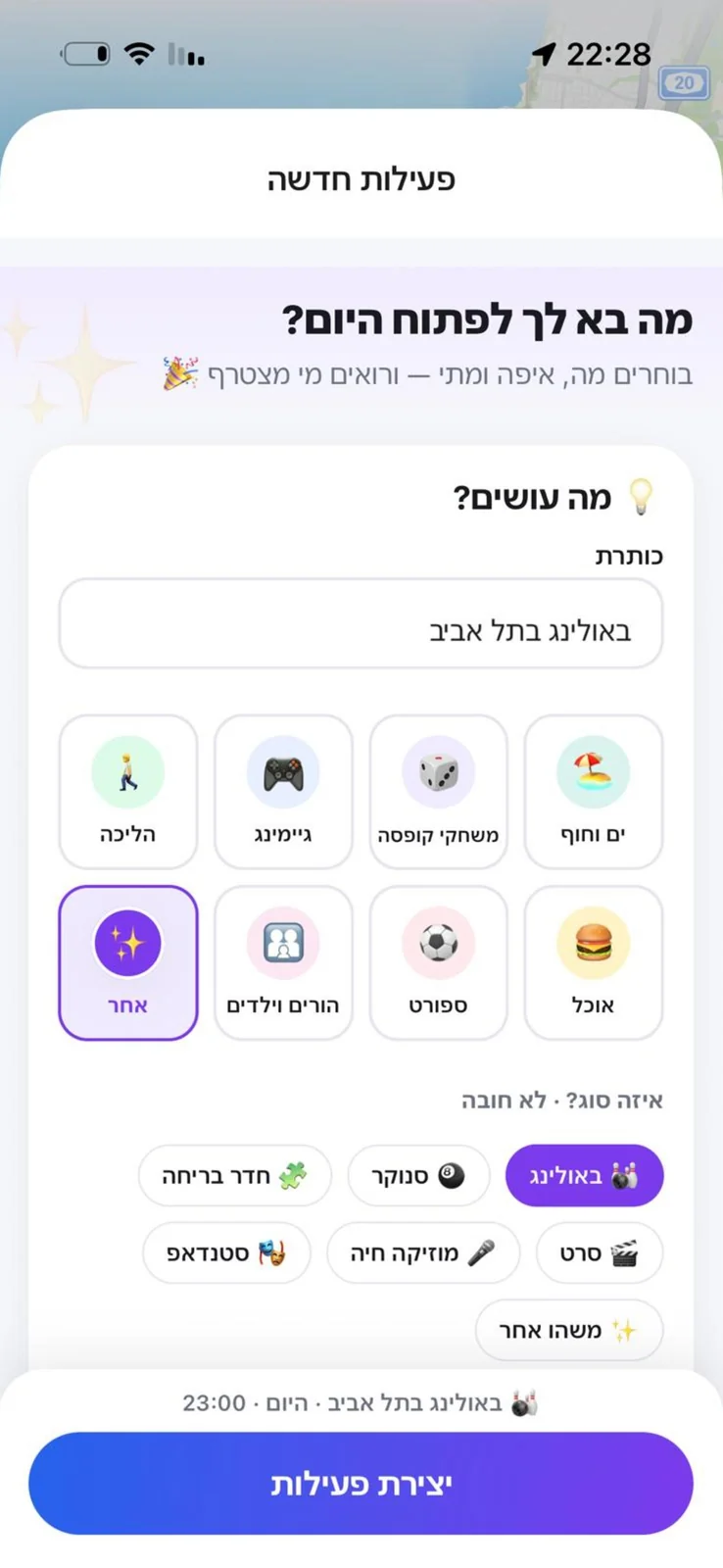
Pick what, where and when, set a maximum number of people, and drop an exact pin on the map. Your activity goes live — and you watch the requests come in.
- Category, time and group size
- Drop an exact meeting point on the map
- Open to everyone, or to an age range you choose
Join with peace of mind
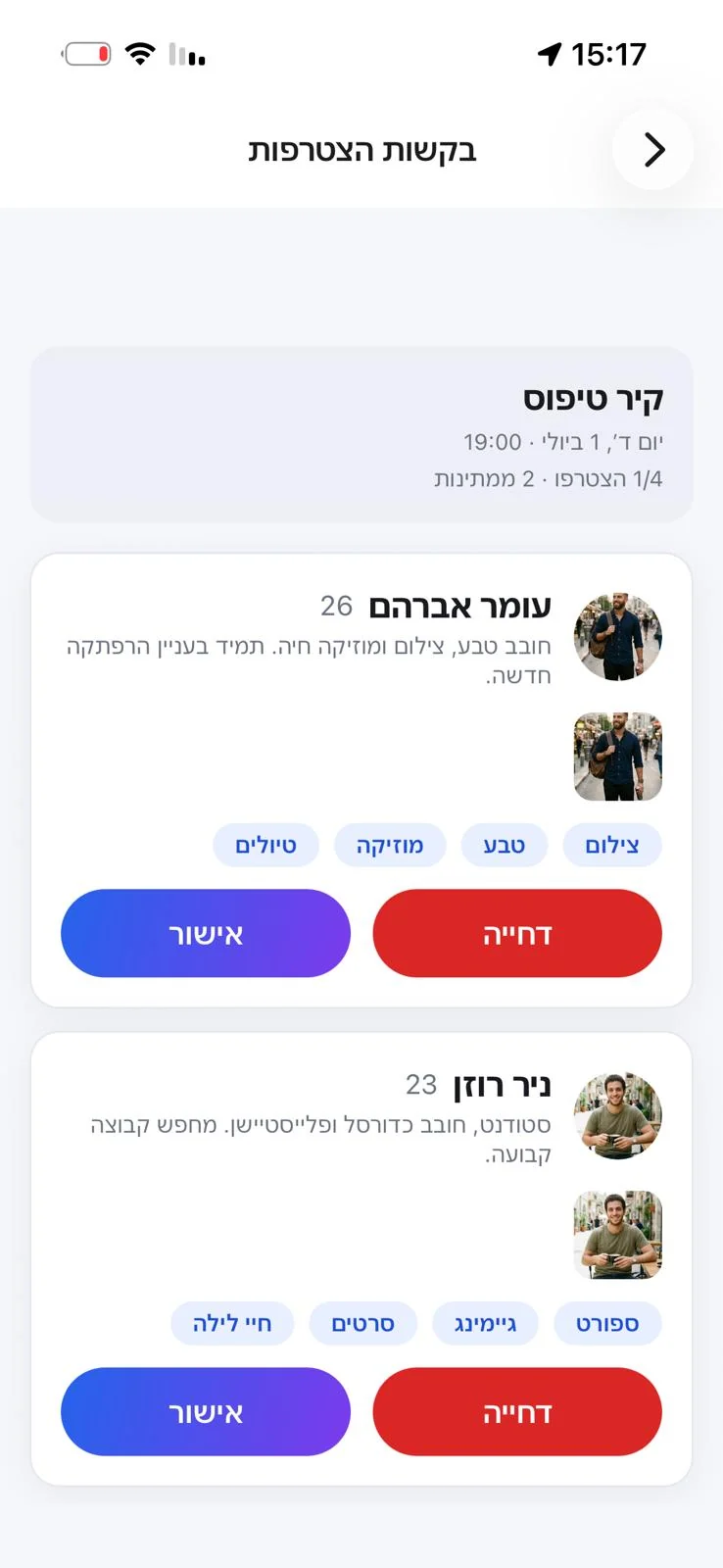
Every request goes to the host personally, who sees a real profile — photos and interests — before saying yes. That is how a group stays one you actually want to be in.
- Request to join in a single tap
- The host approves each person individually
- Your last name is shown only when you request
Chat that opens only after approval
Once you're in, a group chat opens for the final details — the time, the place, who brings what. No unwanted private messages, just the group that was approved.
- Opens only to approved participants
- Replies, quotes and read receipts
- The last check-in before you leave the house

Everything you need to get out of the house
Plan it, join it, sort out the details — all in one place, clean and fast.
A live map of what's nearby
Everything open now, and starting soon, on a single map. Filter by category, distance and time, and sort by nearest or soonest.
Create an activity in under a minute
Choose what, where and when — and you're live. Spontaneous, quick, no bureaucracy.
Requests, approved by the host
Every join goes through the host, so each group stays one people actually want to be part of.
Group chat only after approval
Chat opens strictly to approved participants — settle the time, the place and who brings what, with no unwanted private messages.
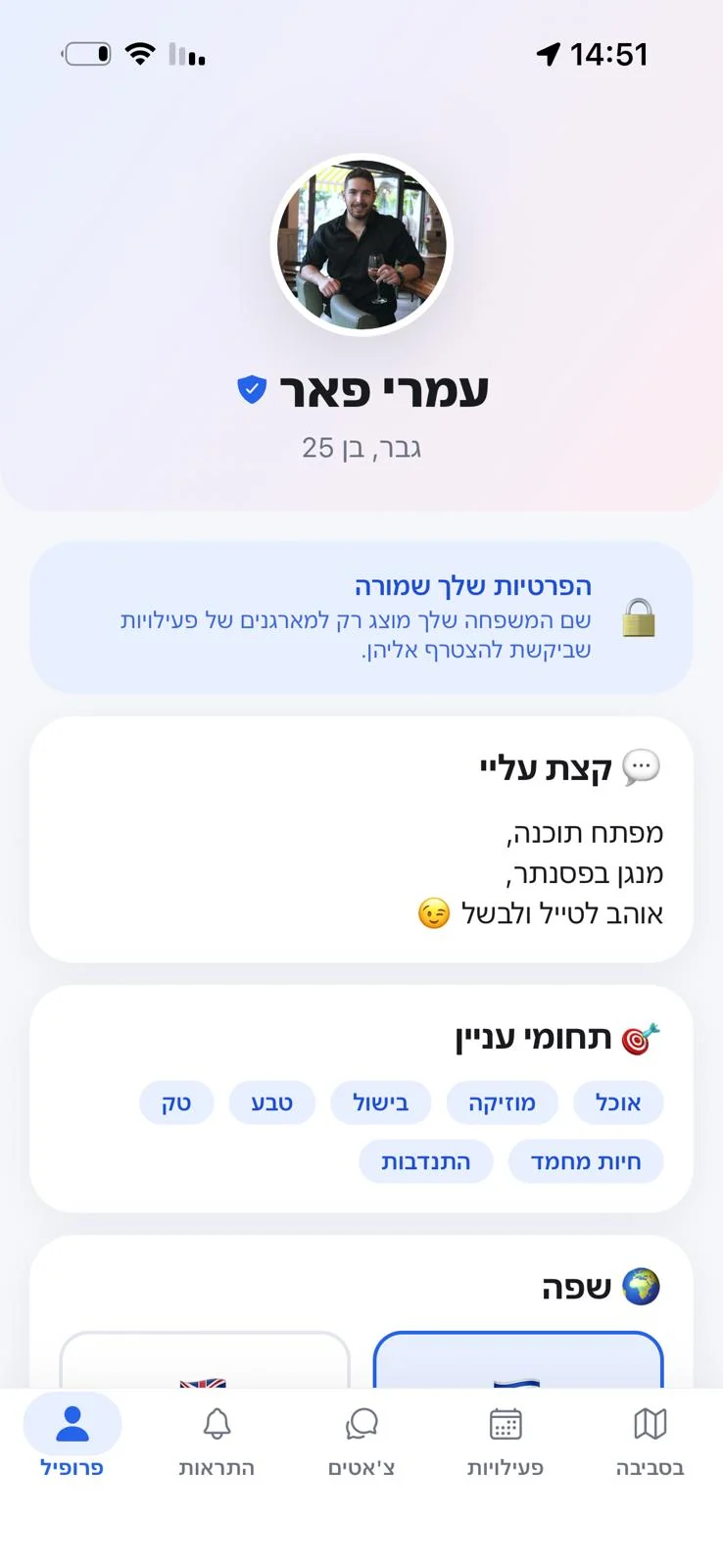
A profile with photos and interests
A real profile with photos, an age and interests — so everyone knows who they're meeting.
Block and report, for safety
Block or report in one tap. Simple tools that keep you in control, always.
Built around trust from the ground up
Social Map is for meeting new people in real life — so privacy and safety are built into the product, not bolted on afterwards.
Not everything is revealed at once
Browsing the map, people see only your first name. Your last name is shown only to the host of an activity you asked to join.
The host approves who joins
Nobody gets in automatically. Every request is approved personally by whoever created the activity.
Chat opens only after approval
You cannot send private messages to participants. The group chat opens only to the group that was approved.
Block and report, any time
Someone crossing a line? Block them in a tap, report them, and our team looks into it. Blocking works both ways.
Morning coffee, board games at night, volleyball at the beach — all on the map, within walking distance.
- Beach
- Board games
- Gaming
- Walking
- Food
- Sports
- Other
A look inside Social Map
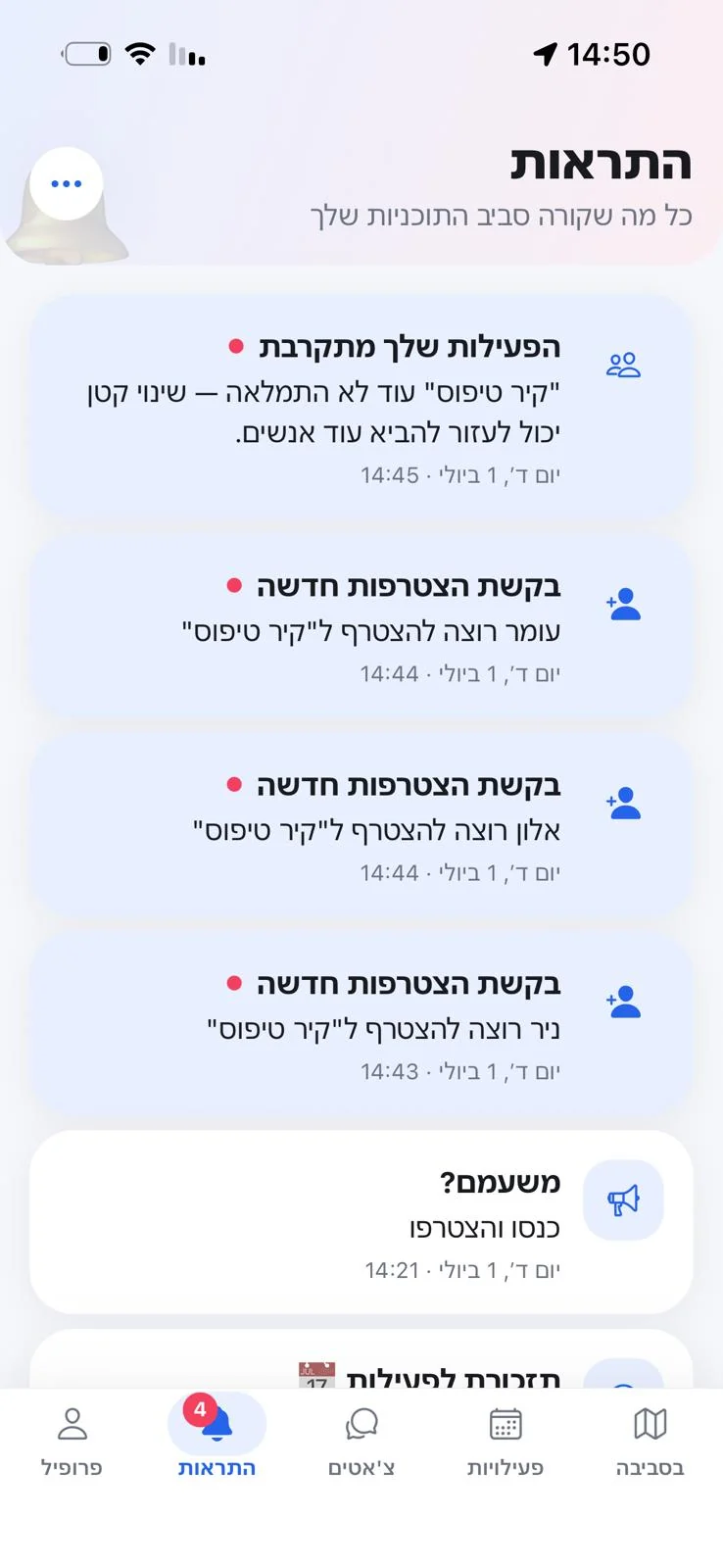
This is how it feels from the inside — from the map to the moment you're approved.
All screens
The map
List view
Activity page
Create an activity
Approving requests
Group chat
Notifications
Profile & privacy
Every screen here is a real screenshot from the app — no mockups, no invented interfaces. The app is Hebrew-first, so the screens are in Hebrew.
From "what is there to do tonight?" to an actual plan
Everyone knows the moment — you want to go out, but there's no plan and nobody to go with. Social Map exists to close exactly that gap: the simplest way to get from bored to something spontaneous, with people from your neighbourhood.
Not a dating app
Group meetups, no pressure
Not an endless feed
Discovery by place and time, not an algorithm
Not huge events
Small, spontaneous, close by
Real activities. Small, close by. Now.
What everyone asks
And if the answer isn't here — write to us. We reply to everyone.
Is this a dating app?
No. Social Map is for group activities — the beach, coffee, football, board games. There are no private messages and no swiping. You join a group; nobody is matched with anybody.
Who can see my details?
Browsing the map, people see only your first name, photos, age and interests. Your last name is shown only to the host of an activity you asked to join. Your device's exact location is never shown to anyone.
How do I join an activity?
Tap the activity on the map and send a request. The host sees your profile and approves or declines. Only after approval does the group chat open.
What is the minimum age?
18 and over, with no exceptions. Accounts belonging to minors are removed when we find them.
Is it free?
Yes. No payment, no subscription, no ads — and no ad tracking or selling of your data either.
How do I delete my account?
From inside the app: Profile → Settings → Delete Account. The Delete Account page explains exactly what is deleted, what is anonymized, and what is kept.
Time to get out of the house
Download Social Map and see what's happening around you right now.
Coming soon to Google Play too 🚀
Got a question, an idea, or a suggestion?
We're always glad to hear from you — feature requests, partnerships, or just to say hello.